Contents
- Overview
- Project Deployement
- Current Progress
- Developer Guide
- Community Feedback
- Risk & Management
- Team Members
- Team Agreement
Overview
The Mānoa Warrior Collective presents Rainbow Reclamation: a projected web application designed to be a virtual lost and found for Mānoa students.
Goals
Nothing is lost forever. We’re here to prove that. Rainbow Reclamation is projected to be an all in one virtual lost and found client. Students, faculty, and staff all have much more important things to worry about (like what flavor of cup noodles will be for dinner) than lost property.
To save you an extra trip to the DMV for that dang ID you lost, the next section will detail how we intend on safekeeping lost items.
Project Deployement
Rainbow Reclamation can be found here.
Please expect changes as it is currently in development.
Current Progress

Our first stage of development, M1, can be found here.
Our current progression in building this application for M2 can be found here.
Our projected issues for the next stage of development for M3 can be found here.
User Guide
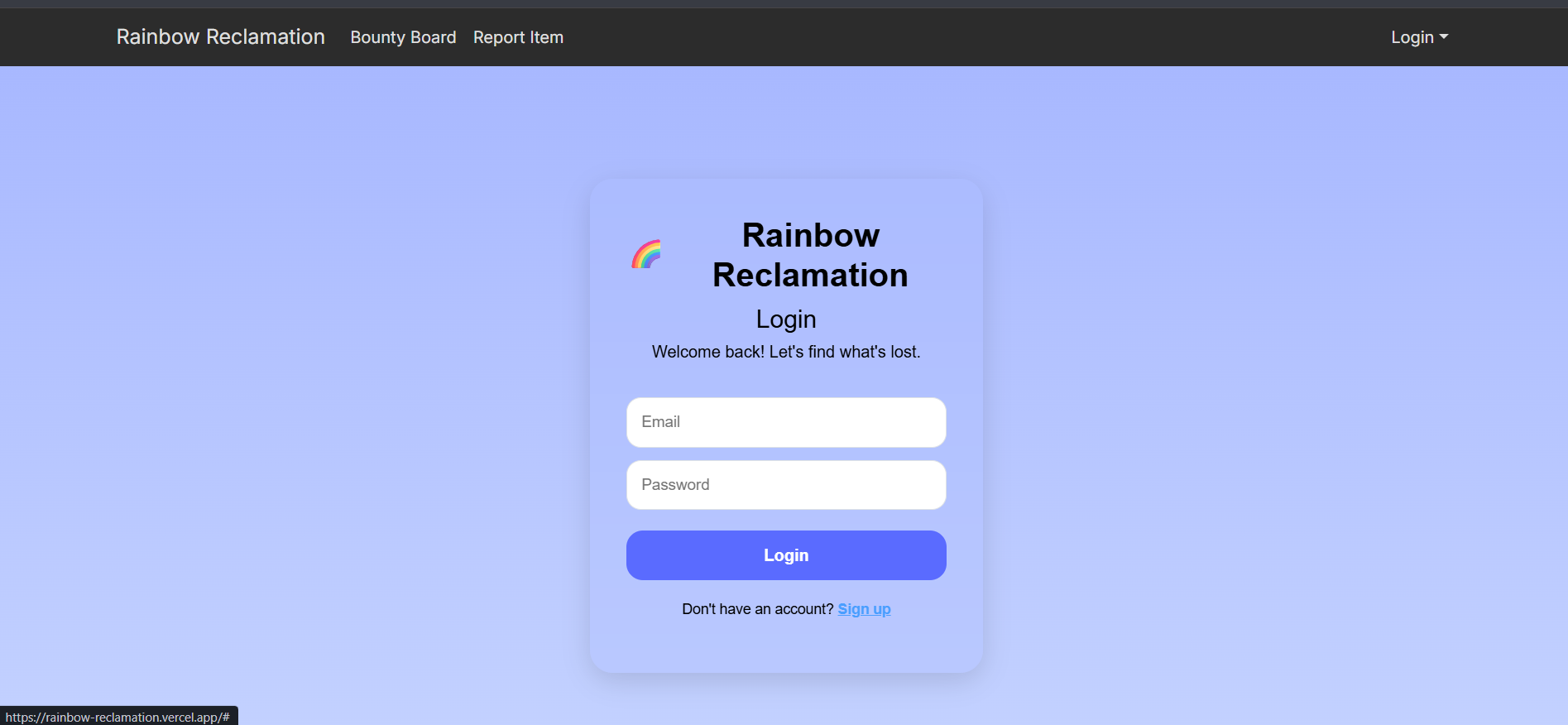
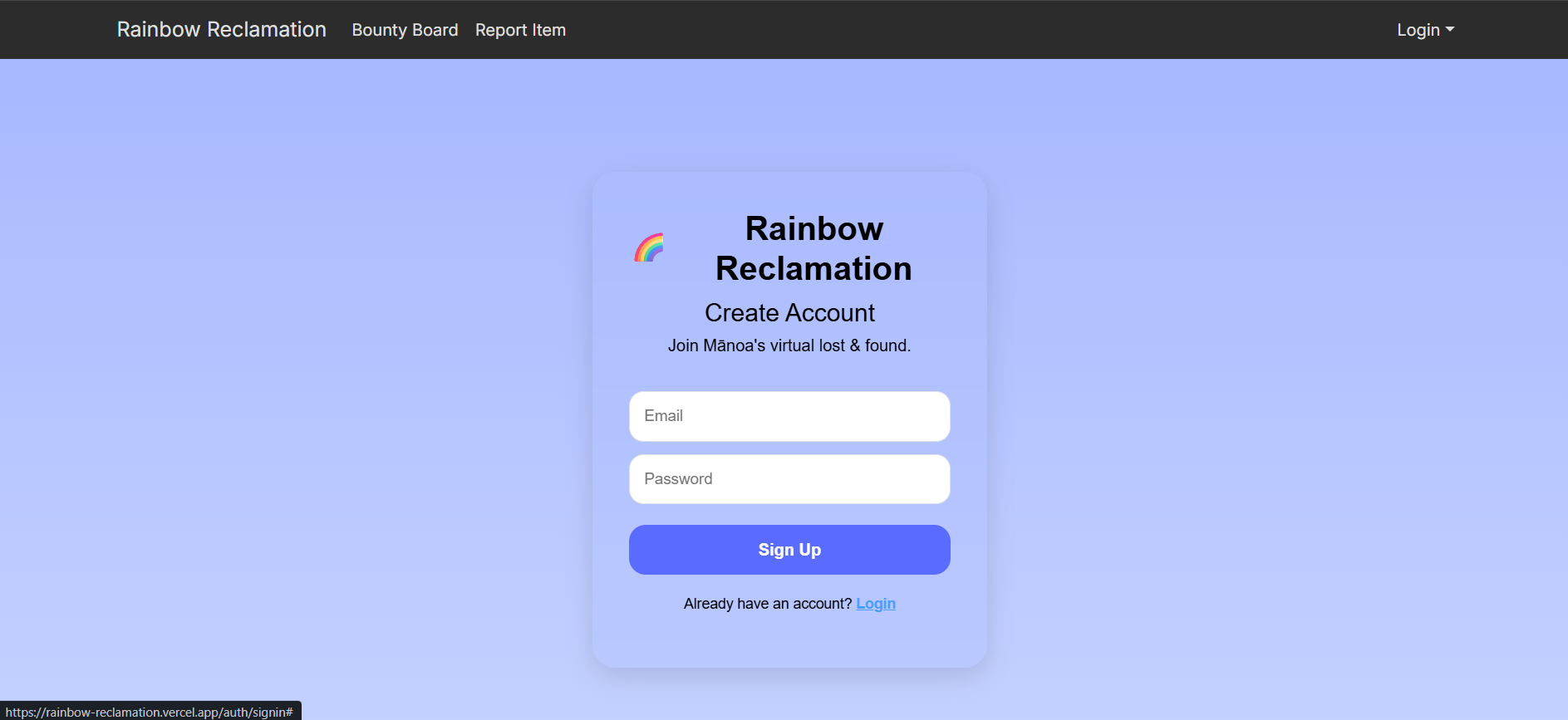
- Sign in and Sign up page
- User are asks to either to sign in or sign up to access:
- Report Item
- Browse User Dashboard
- User are asks to either to sign in or sign up to access:
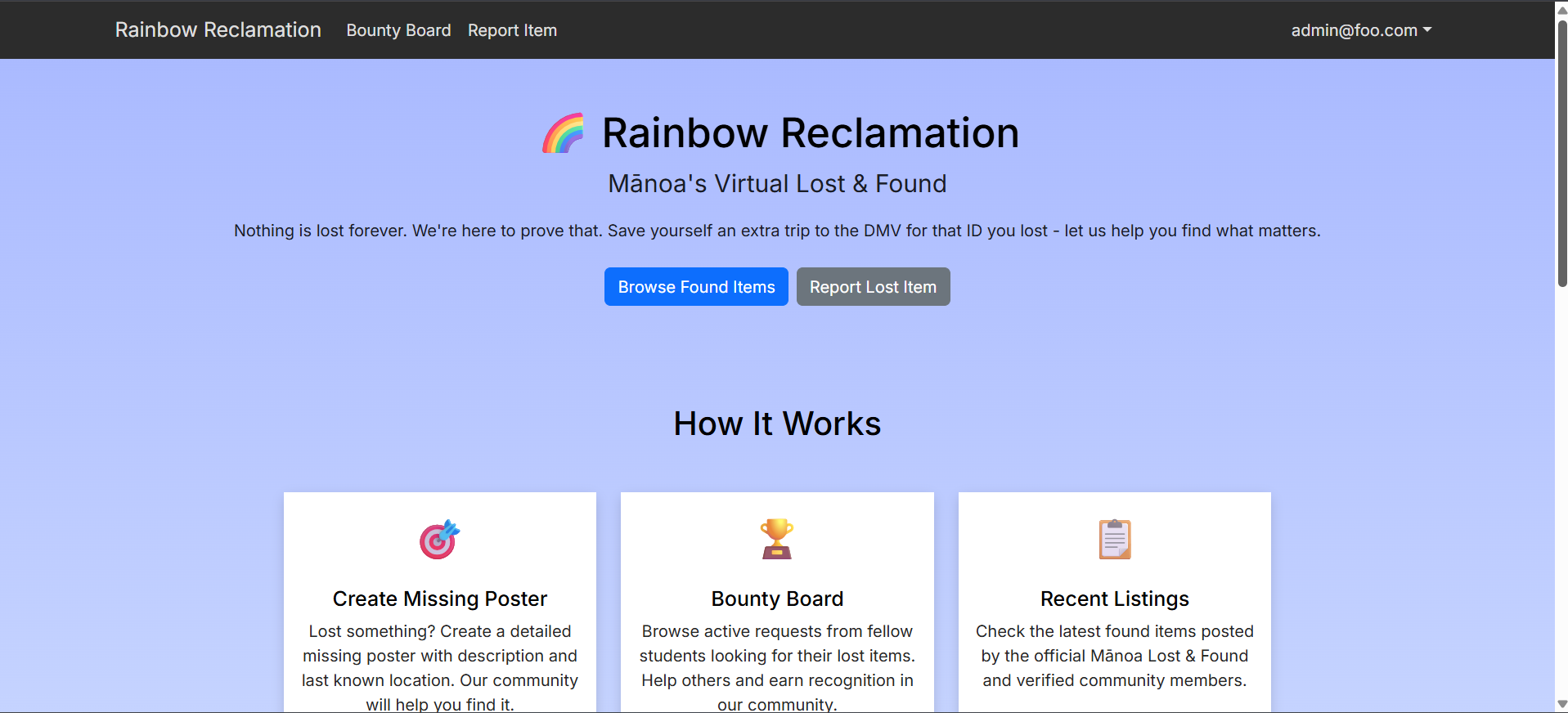
- Landing page (User)
- Basic introduction to the site
- Overview of the website functionalities
- Buttons to report lost items or to browse items
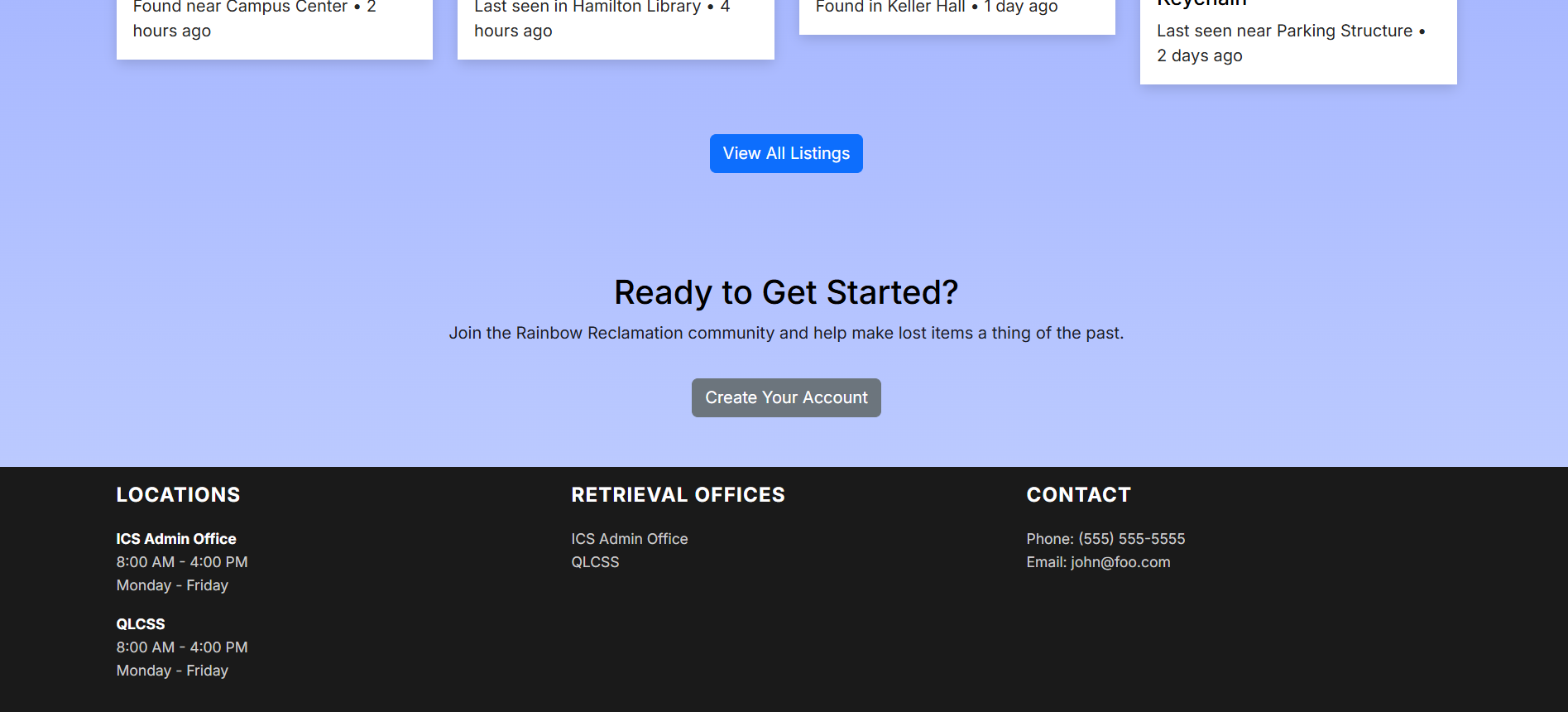
- Should contain a Sign Up feature at the bottom of the page
- Footer
- Contains locations, dates, and times when the offices are open
- Contains contact information
- Contains where to retieve lost items

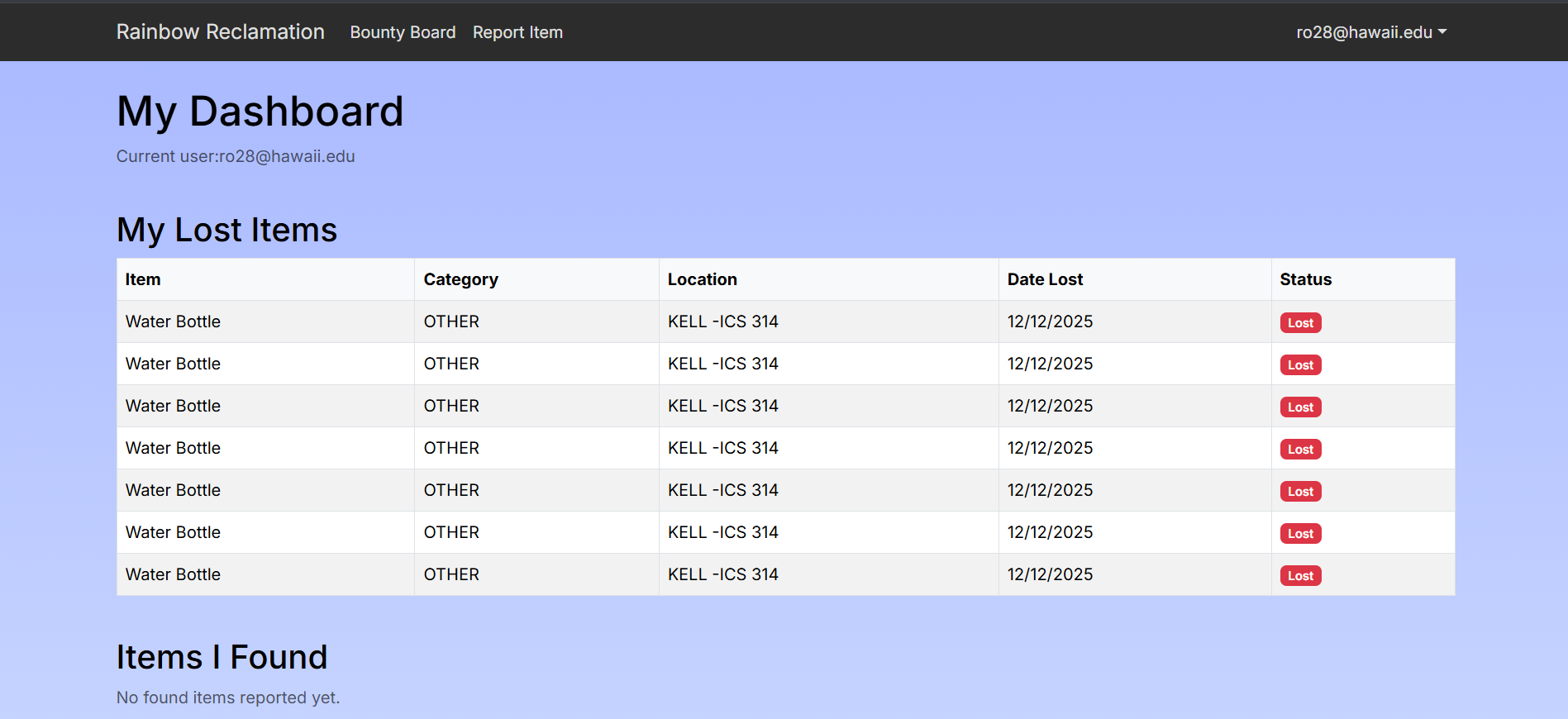
- Dashboard page
- Users can see the status of their current lost items
- Users can see items they found themseleves
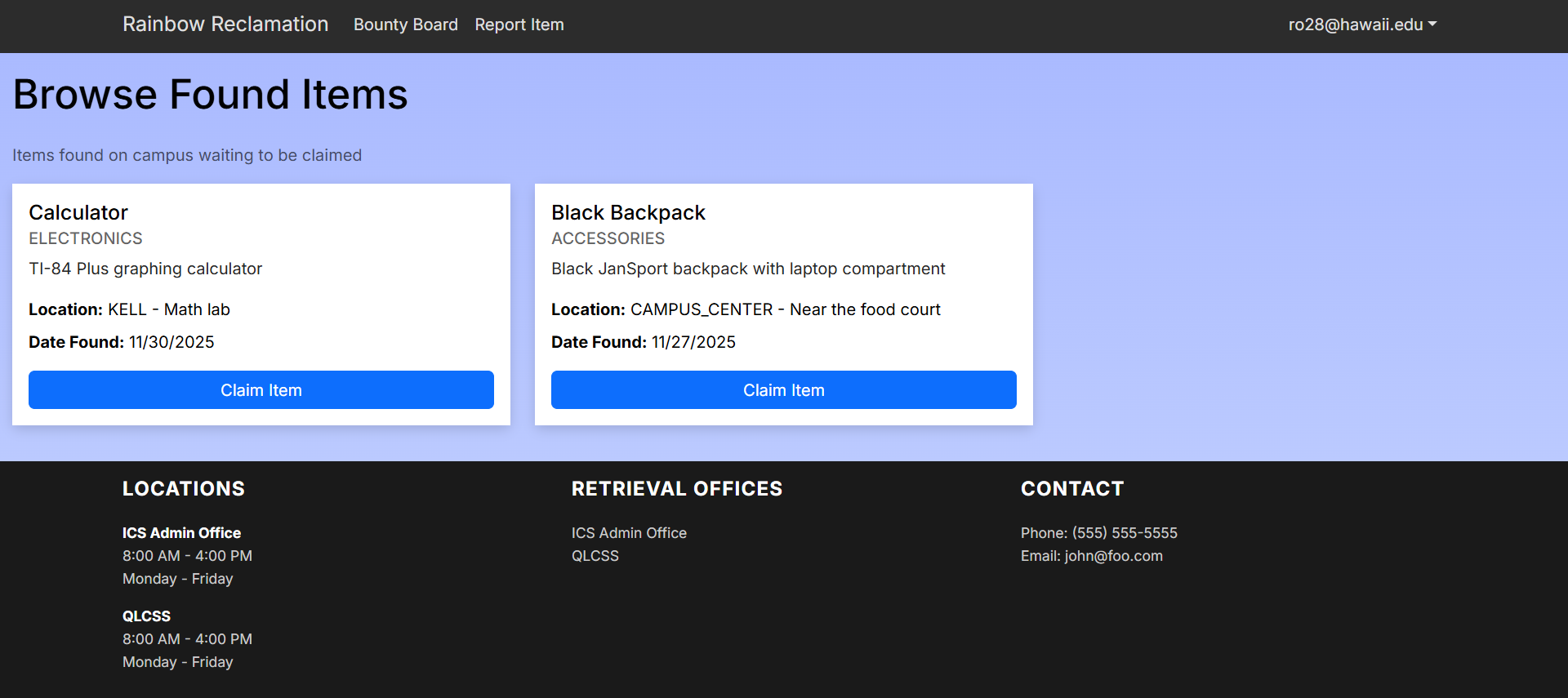
- Browse Item
- Shows a page of the user’s lost items and check has a claim button to verify item has been retrieved
- Clicking on claim button redirect users to recovery instruction page
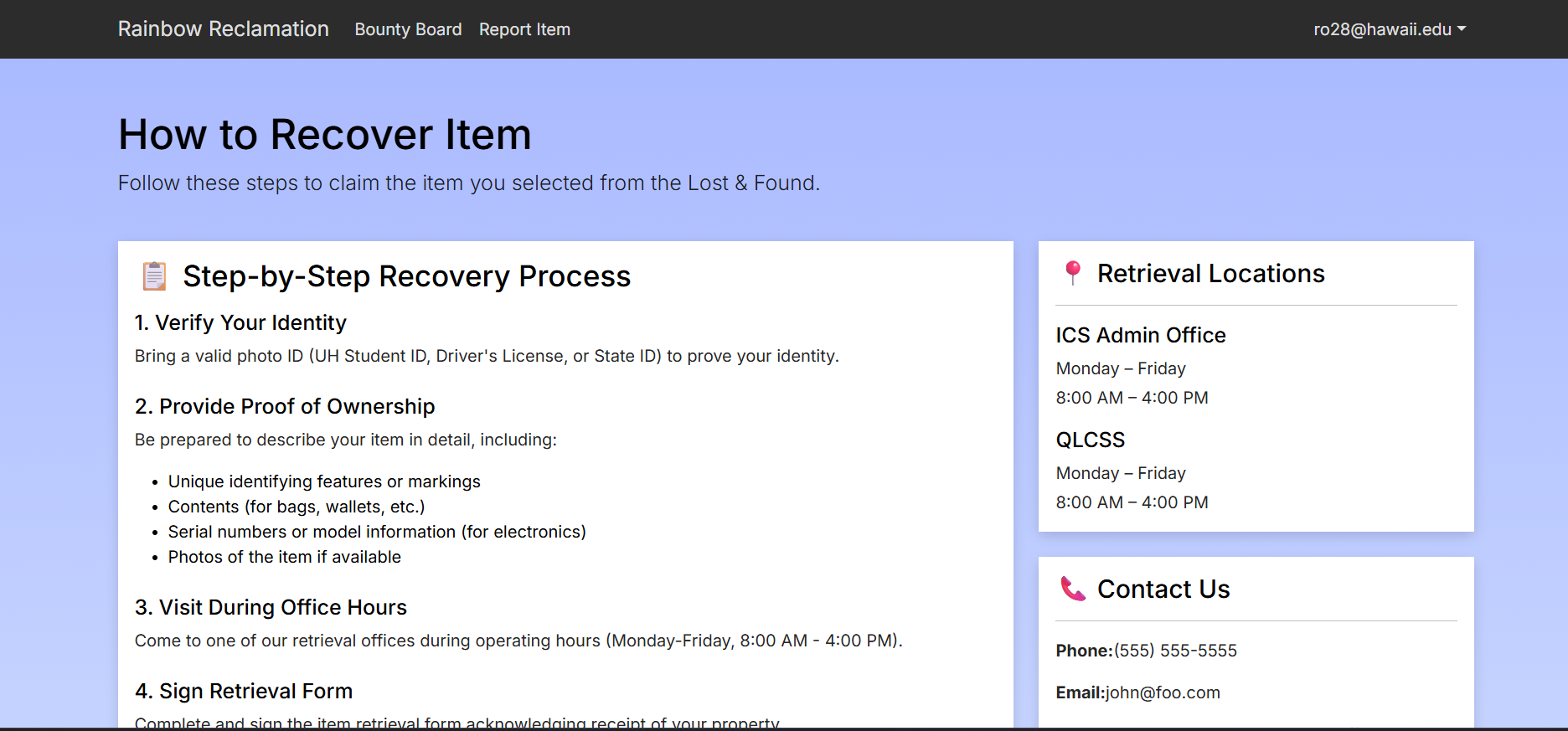
- Recovery Instruction Page
- Contains steps to how retieve lost item
- Contains location, dates, and times when the offices are open and where to retieve lost items
- Contains contact information
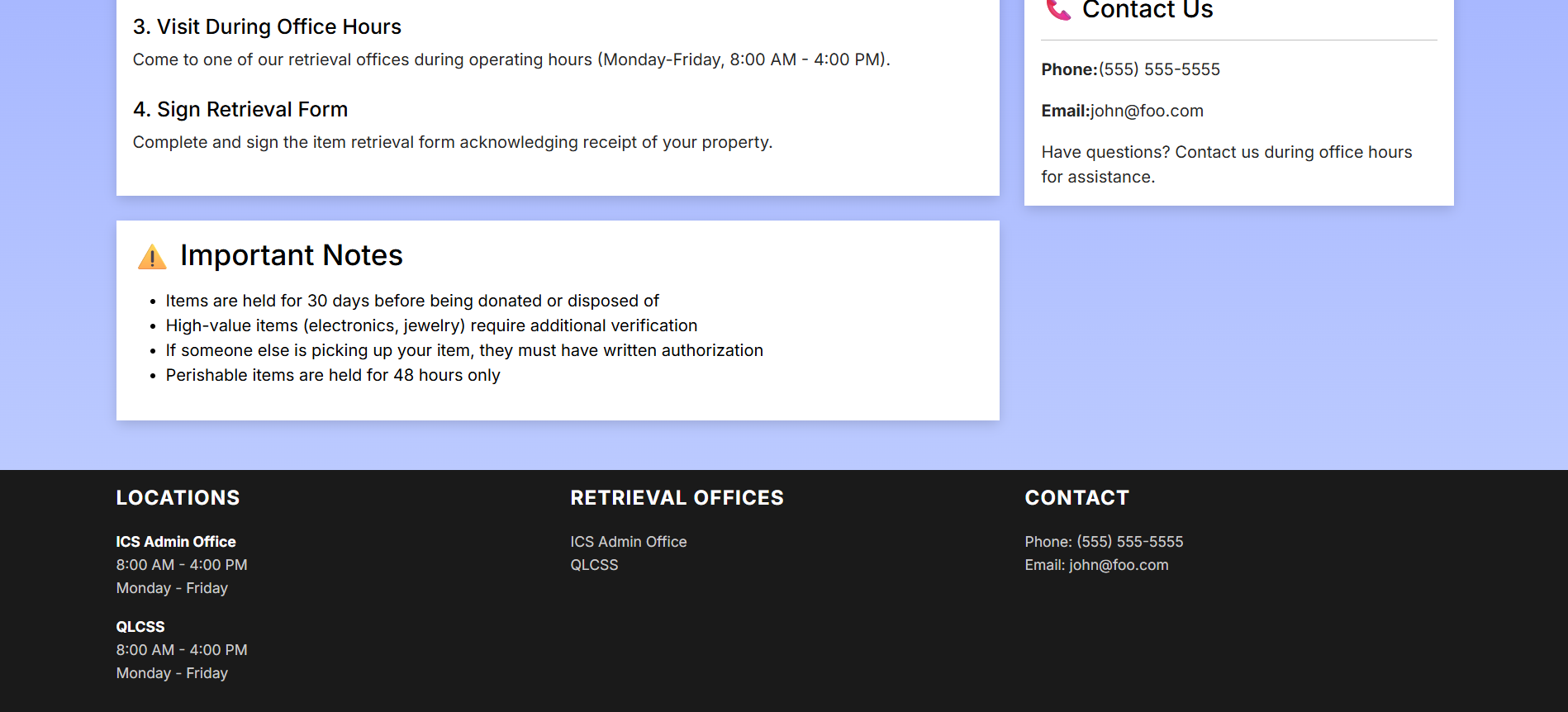
- Contains important side notes
- How long the item will be held and any pershiable items will held up to 48 hours
- Any high values needs an id verification
- If someone else is picking up the item, they need a written authorization to pickup said item
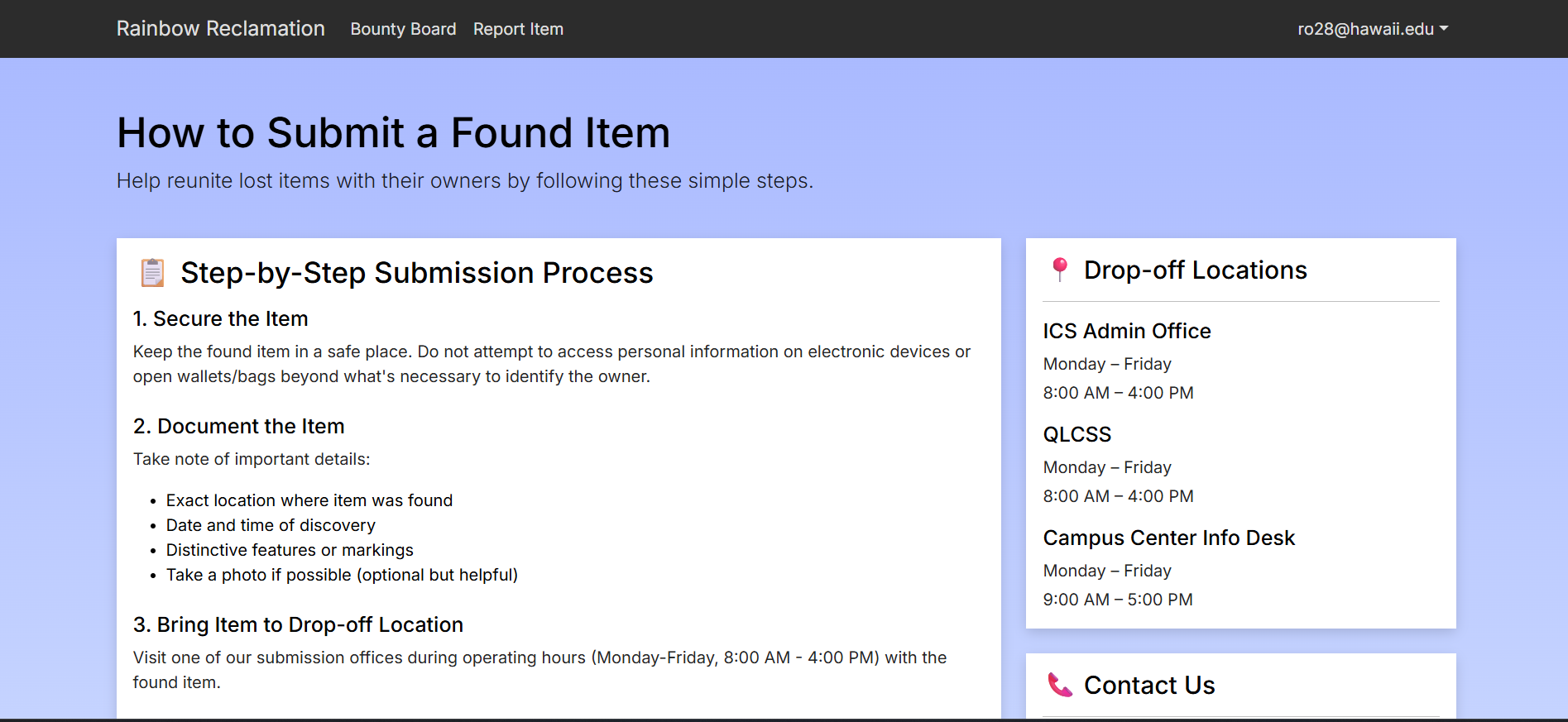
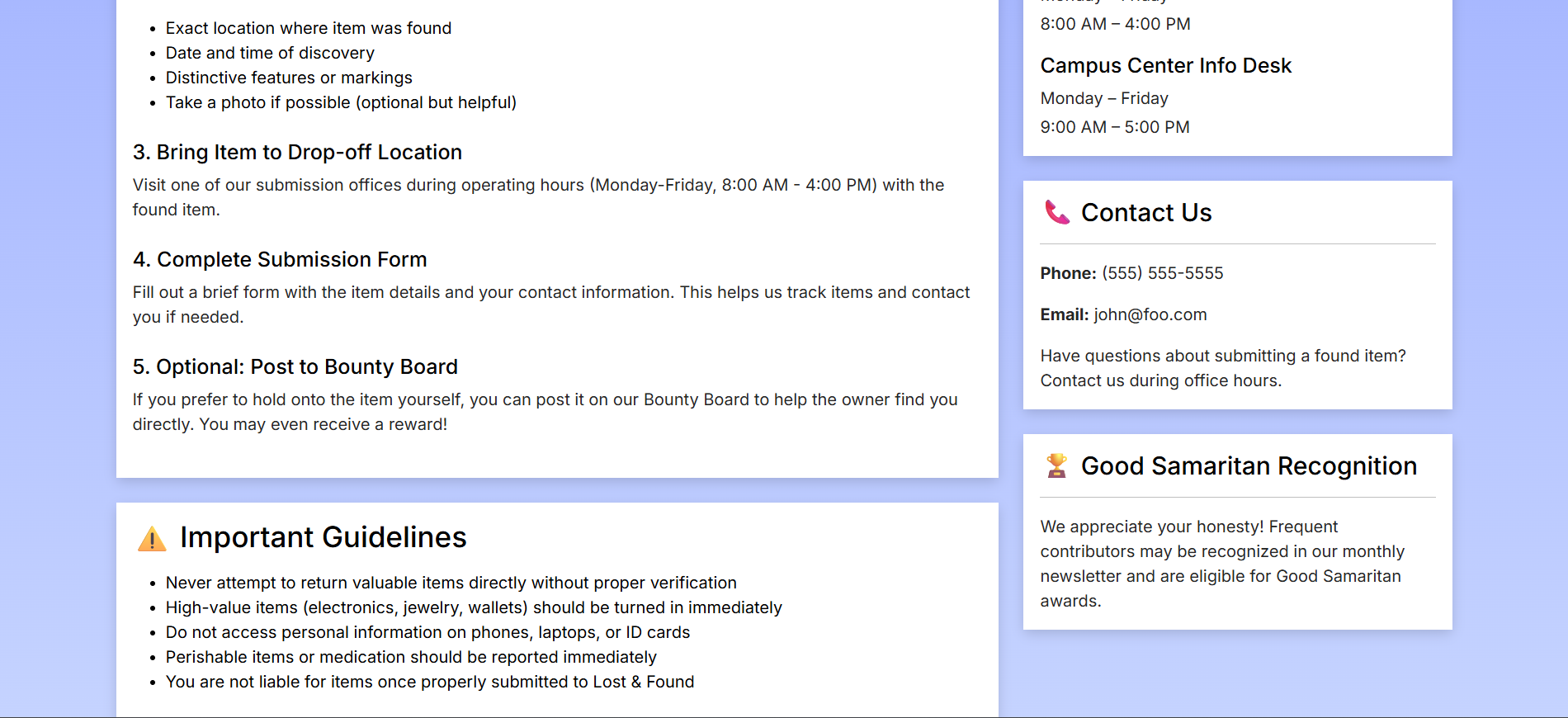
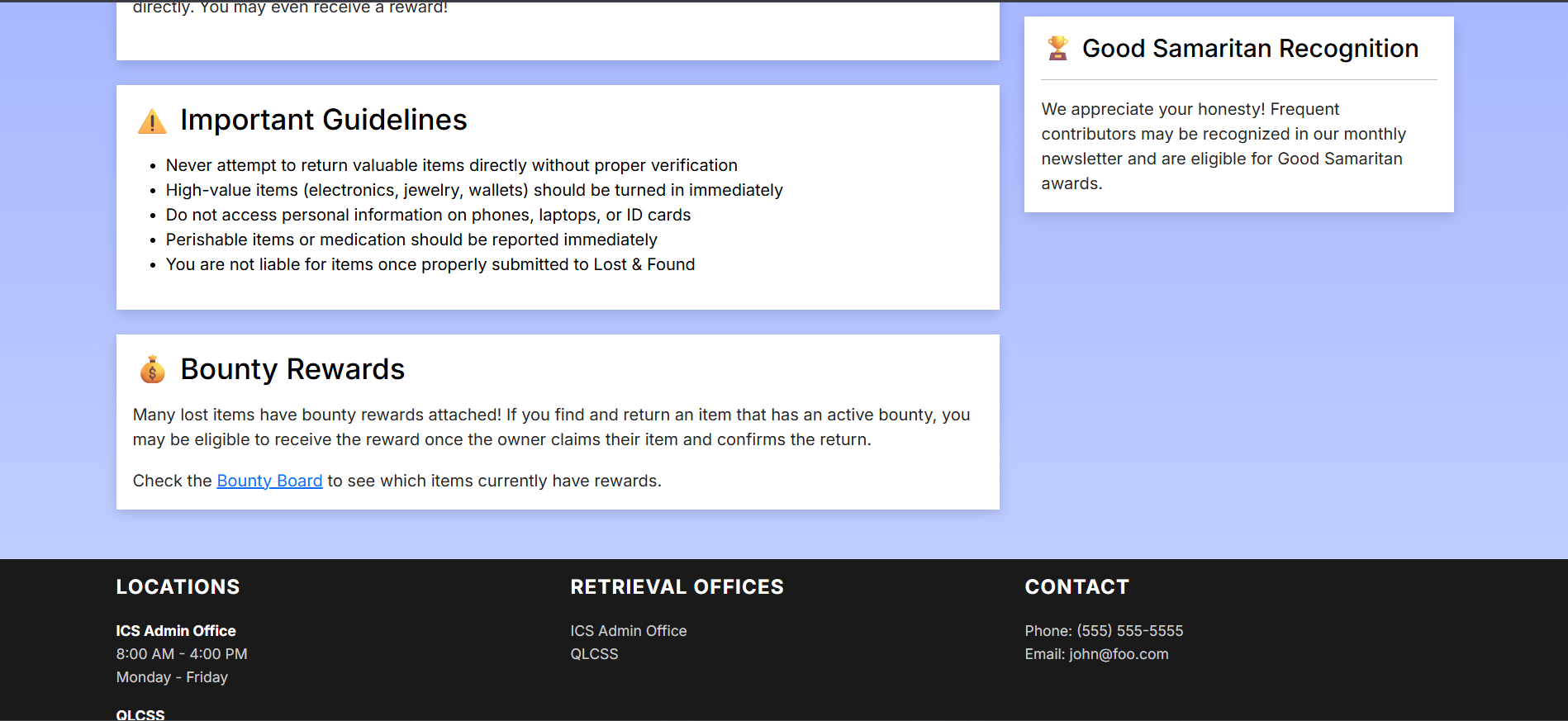
- Submission Instruction Page
- Contains steps how to submit lost item
- Contains locations, dates, and times when the offices are open and where to submit lost item
- Contains contact information
- Contains same important side notes as recover page
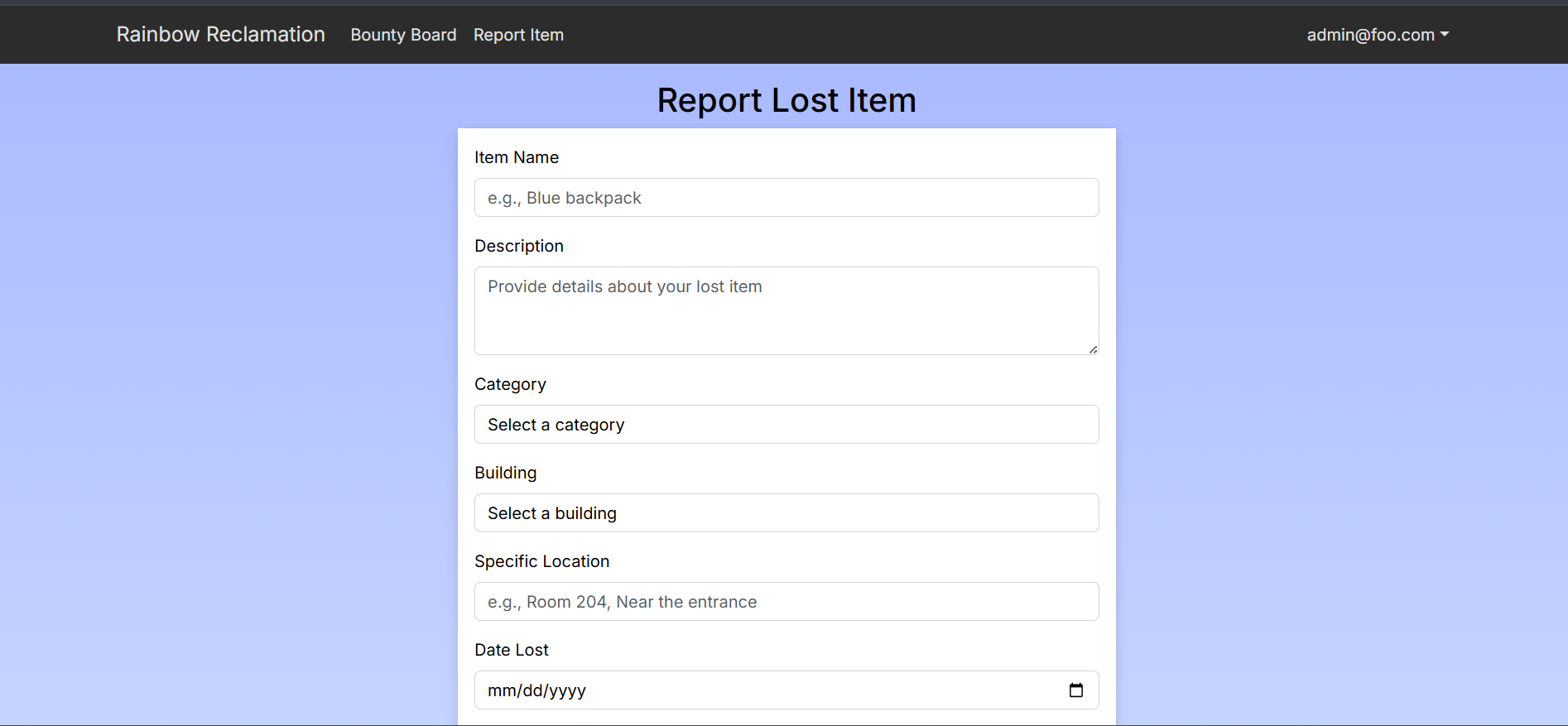
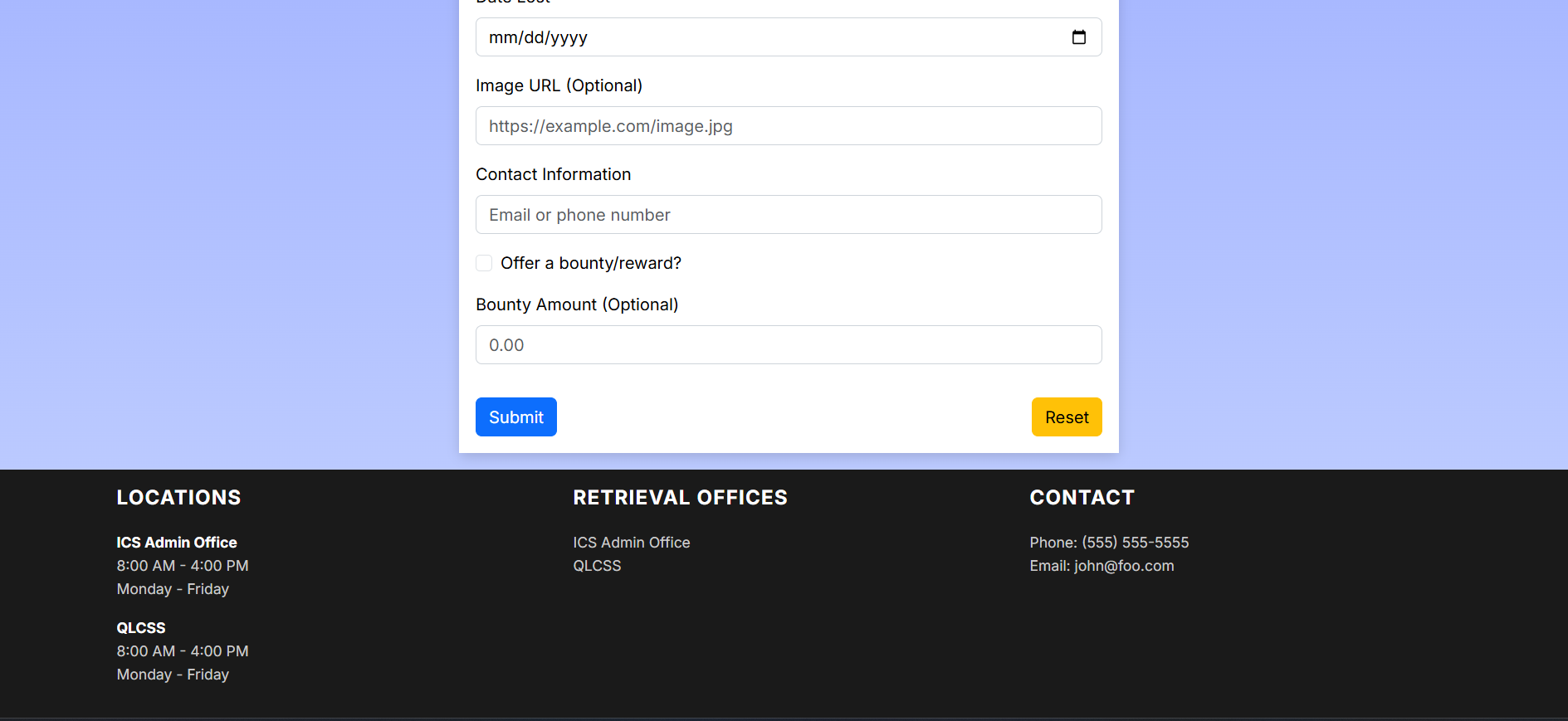
- Report Page
- User are able to upload the item name, the description, a picture, and bounty if user wanted to add reward towards submiting lost item
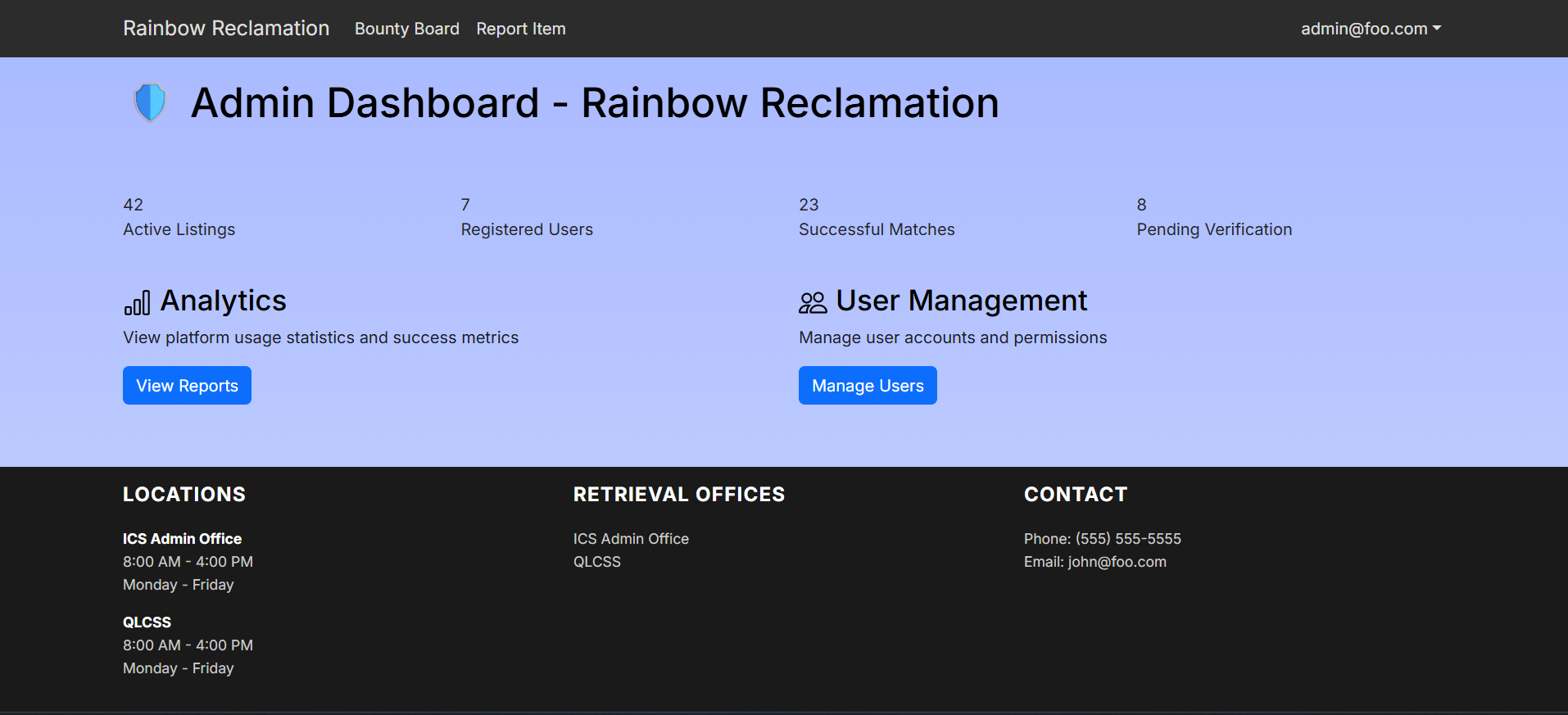
Admin features:
- Admin Dashboard
- Contain a list of users (work in progress)
- Analytic data to show usage of website and success rate of finding reported lost items
- Manage user account standing (work in progress)
- Track current users, find items, and lost items (work in progress)
Developer Guide
This section provides information for developers wishing to use this code base as a basis for their own development tasks.
Installation
Download and install PostgreSQL here
Then create a database using the command:
$ createdb rainbow-reclamation
Cloning the Repository
Clone the repository
$ git clone https://github.com/manoa-warrior-collective/rainbow-reclamation
After cloning install the necessary dependencies
$ cd rainbow-reclamation $ npm install
Linking to your database
Make a copy of the sample.env file and rename it to .env, then set the database URL to point to the database you made in the installation step.
DATABASE_URL="postgresql://username:password@localhost:5432/rainbowreclamation"
Change your datasource in /prisma/schema.prisma to use the right database url
datasource db {
  provider = "postgresql"
  // for local development
  url      = env("DATABASE_URL")
  // for Vercel
  // url       = env("POSTGRES_PRISMA_URL")
  // directUrl = env("POSTGRES_URL_NON_POOLING")
}
ESLint
Run ESlint to check for any errors
$ npm run lint
Running Locally
To run the webpage locally,
$ npm run dev
The webpage will ran at http://localhost:3000.
Risk & Management
| Risk | Mitigation Strategy |
|---|---|
| 1. Resource Constraints | Find consistent time to work |
| 2. Poor Project Planning | Set Project Milestone dates |
| 3. Poor Communication | Hold other team members accountable for meetings |
| 4. Scope Creep | Focus on your set issues in the Milestone |
| 5. Unclear Requirements | Sit down with group members to have a detail discussion |
| 6. Technical Complexity | Break down issues into simpler tasks through discussion |
| 7. Inadequate Team Skills | Discussion, Coding Aid, AI |
Community Feedback
We gathered feedback from UH students within the UH System to evaluate the usability, design, and overall experience of the web application. A total of 5 students participated in the feedback survey through Google Forms.
Overall Impressions
Overall, students responded positively to the web app.
- The app received an average usefulness rating of 4.2 out of 5, indicating it is considered helpful and effective.
- The design and layout earned an average rating of 4.0 out of 5, showing that most users found it visually acceptable, though with room for improvement.
- Most respondents expressed that they liked the app or saw strong potential, even if they felt some features still need refinement.
Common Feedback
What users liked most:
- Easy to access and very user-friendly
- Simple and intuitive navigation
- Fast loading and smooth performance, especially on mobile
- The bounty board concept for lost and found items was viewed as very valuable
- Being able to view personal listings and use the bounty system
Suggested improvements:
- Improve UI consistency
- Fix broken or non-loading pages, especially the “View Details” page
- Add clearer explanations of how bounties work and how to claim them
- Add scam warnings, safety guidelines, and moderation for listings
- Improve sorting options
- Fix functional issues such as:
- “View all listings” not displaying all items
- Sign-up button appearing after login
- Typographical errors
- Delayed refresh when new bounties are added
Takeaways
The feedback indicates that the web app has a strong foundation and a clear purpose that users appreciate. Students found the app useful and easy to use, particularly the bounty board feature. Addressing UI polish, bug fixes, clearer instructions, and safety features will significantly improve usability and trust. Overall, testers believe the app is promising and worth continued development.
Team Members

Rhys Dhustin Ocana |

Allen Long |

Dylan Dela Cruz |

Yilamu Lafeier |
Coordination Strategy
Our team plans to meet at least 3 times a week either in-person or through discord for 1-2 hours.
Team Agreement
As a guarantee that each team member is on track and is invested in this project, a team contract has been drafted. You can find the document here.
GitHub
Our GitHub organization page.